Zoom - One Platform to Connect
zoom.us
Installs
1,000,000,000+
Developer
zoom.us
-
Category
Business
-
Content Rating
Rated for 12+
Developer Email
Privacy Policy
http://zoom.us/privacy/
Screenshots
Expert Review
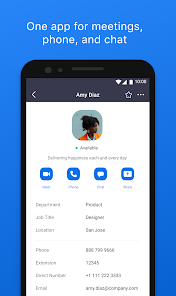
Zoom, developed by zoom.us, stands as a comprehensive communication platform designed to facilitate seamless virtual interactions across various contexts. At its core, the app provides high-quality video conferencing, audio calls, and instant messaging, integrating these into a single, unified environment. Its primary purpose is to bridge geographical gaps, enabling face-to-face collaboration and communication for teams, families, and communities regardless of physical location.
The app targets a remarkably broad user group, from enterprise teams and educational institutions to individual users connecting with friends and family. It solves the fundamental problem of remote communication by offering a reliable and accessible tool that replicates in-person meeting dynamics. For businesses, it addresses the need for project collaboration, client meetings, and internal discussions. For personal use, it helps maintain social connections over long distances.
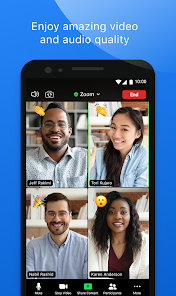
In practice, the core features work exceptionally well. Video and audio quality are consistently clear and stable under normal network conditions. The additional features, such as screen sharing, virtual backgrounds, and breakout rooms, add significant value by enhancing meeting functionality and engagement. From my own experience using Zoom for both professional webinars and casual family catch-ups, it has reliably solved scheduling and logistical challenges, allowing for spontaneous or planned gatherings without the friction of travel. It became an indispensable tool for coordinating a distributed project team, where daily stand-ups and collaborative whiteboarding sessions felt natural and productive.
I would strongly recommend Zoom to any individual or organization that requires dependable, feature-rich virtual communication. It is most useful for structured business meetings, online classes, remote team collaboration, and regular social calls with multiple participants. Its versatility makes it a go-to solution for anyone needing a robust platform to connect people visually and audibly in a professional or personal capacity.
Key Functional Highlights
- 🎥 High-Definition Video & Audio: Delivers clear, stable video and audio feeds, supporting large meetings with multiple participants without significant degradation in quality.
- 💬 Integrated Chat & Collaboration: Features persistent team chat channels, direct messaging, and file sharing alongside meetings, creating a continuous workspace.
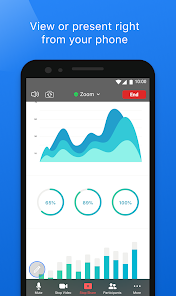
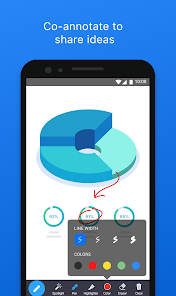
- 🖥 Advanced Screen Sharing: Allows sharing of entire screens, specific application windows, or a portion of the screen, with options for remote control and annotation.
- 🎨 Virtual Backgrounds & Filters: Users can replace their real background with an image or video or apply filters, enhancing privacy and professional appearance.
Advantages & Benefits
- ✅ Reliability & Uptime: The platform is renowned for its consistent performance and minimal service interruptions, which is critical for important meetings.
- ✅ Cross-Platform Accessibility: Works flawlessly on desktop (Windows, macOS), mobile (iOS, Android), and via web browsers, ensuring everyone can join easily.
- ✅ Feature Depth for Free Tier: The free plan offers generous 40-minute group meetings and includes many core features like screen sharing and waiting rooms.
- ✅ Ease of Use: The interface is intuitive, making it simple for users of all technical levels to host, join, and manage meetings.
Areas for Improvement
- ⚠️ Security & Privacy Concerns: Past incidents have raised questions about data handling and 'Zoom-bombing,' though many issues have been addressed with updates.
- ⚠️ Battery & Resource Intensive: Prolonged use, especially with video on, can drain device battery quickly and consume considerable system resources.
- ⚠️ Feature Overload for Casual Users: The sheer number of settings and advanced options can be overwhelming for users who only need basic calling.
- ⚠️ Free Plan Limitations: The 40-minute time limit on group meetings for free accounts can be disruptive for longer discussions.
Recommended Apps
![]()
AI Art Generator - AI Yearbook
Smart AI DEV3.9

![]()
Afterpay - Buy Now Pay Later
Afterpay3.8![]()
Anime Shimeji Screen Pets
NovaSoftLC Labs3.9![]()
Parallax: 4K 3D Live Wallpaper
Nebuchadnezzar DOO4.6![]()
Telegram
Telegram FZ-LLC4.2![]()
Elevate - Brain Training Games
The Mind Company4.6![]()
Heaven: Gay & LGBT+ Dating
Paradiz Social Ltd3.2![]()
Drone App: Forecast for UAV
Go Dreams4.4![]()
Google Gemini
Google LLC4.6![]()
Customuse: Skins Maker Roblox
Customuse4.7![]()
Brainzzot Universe: Prank Call
TeH Software0![]()
Prank Sounds: Hair Cut & Fart
Smart Utilities Hub4.2![]()
Photo Editor - Lumii
InShot Video Editor4.7![]()
GigaBody: AI Muscle filter
Bellential Inc.4.4![]()
FunVid: Funny Face Filters
Vibe Filter Club0















You May Like
-
![]()
Moonphase Filter: Love Test
Braly JSC0 -
![]()
How Did You Die In The Past?
BuzzMoy0 -
![]()
Secret Crush Detector App
Hopeitz Software4.8 -
![]()
Walli - HD, 4K Wallpapers
Tap AI4.4 -
![]()
Ace Hardware
Ace Hardware Corporation4.7 -
![]()
Planner 5D: Home Design, Decor
Planner 5D4.1 -
![]()
Snapchat
Snap Inc4.1 -
![]()
Live wallpaper - dope & anime
Jelly Dev4.4 -
![]()
WhatsApp Messenger
WhatsApp LLC4.5 -
![]()
Eye Test
arabtok0 -
![]()
Uber - Request a ride
Uber Technologies, Inc.4.5 -
![]()
Prank Call & Funny Video
TeH Software0 -
![]()
Bug Filter - Bug on Face Prank
Hades Bit0 -
![]()
Dola: Smart AI Assistant
SPRING (SG) PTE. LTD.3.9 -
![]()
Crush Love Finder: Fun Filter
Braly JSC0