Emoji background changer
Judi Studio
Installs
10M+
Developer
Judi Studio
-
Category
Video Players & Editors
-
Content Rating
Rated for 3+
Developer Email
Privacy Policy
https://sites.google.com/view/emojibackgroundchangerprivatep/home
Screenshots



Expert Review
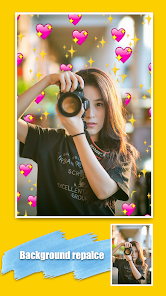
Emoji Background Changer by Judi Studio offers a straightforward yet surprisingly effective solution for personalizing your device's visual interface. At its core, this app allows users to replace standard app icons with vibrant emoji backgrounds, creating a playful and customized home screen experience. The primary function revolves around selecting your favorite emojis and applying them as the backdrop for app shortcuts, effectively masking the original icons with a cohesive, emoji-themed design.
The target audience for this app is broad but leans towards users who enjoy personalization, have a playful aesthetic, or are simply tired of the monotony of standard app grids. It solves the specific problem of a bland, uniform smartphone interface by injecting personality and color without requiring advanced technical knowledge or complex theming tools. It's perfect for anyone looking for a quick, fun visual refresh.
In practice, the core feature works seamlessly. The process of selecting emojis and applying them to icons is intuitive. The app generates the new shortcuts reliably, and the resulting home screen is visually cohesive. While the feature set is intentionally narrow, this focus is its strength; there are no superfluous options to clutter the experience. From my own usage, it successfully transformed a very utilitarian app layout into something more engaging and personal. It solved my desire for a quick visual change without the commitment or learning curve of a full launcher replacement.
I would recommend Emoji Background Changer to casual users who want to personalize their phones quickly, to younger audiences who resonate with emoji culture, or to anyone seeking a non-permanent, fun way to distinguish their device. It is most useful for users who value expressiveness over intricate customization and prefer a simple, one-tap solution to home screen boredom.
Key Functional Highlights
- 🎨 Core Icon Theming: Replace any app icon with a background filled with your chosen emoji, creating a uniform and playful aesthetic across your home screen.
- ⚙️ Simple Workflow: The process involves just a few taps: select an app, pick an emoji, and let the app create a new shortcut. No complex settings or configurations are needed.
- 📱 Home Screen Integration: The app generates new shortcuts that seamlessly integrate with your existing home screen layout, preserving your folder structure and widget placements.
- 🎯 Focused Customization: Provides a single, well-executed feature—emoji backgrounds—without overwhelming the user with unrelated theming options like fonts, icon shapes, or complex overlays.
Advantages & Benefits
- ✨ Delivers instant visual gratification and a noticeable personality boost to your device with minimal effort.
- 🚀 The operation is incredibly straightforward, making advanced-looking customization accessible to absolutely anyone.
- 🔄 Offers a non-destructive way to theme; your original apps remain unchanged in the app drawer, allowing for easy reversion.
- 😊 Taps perfectly into the ubiquitous and fun language of emojis, which have broad appeal across user demographics.
Areas for Improvement
- 🔍 The customization is relatively basic, limited to emoji backgrounds without options to resize, recolor, or combine emojis on a single icon.
- ⚠️ The app creates new shortcuts, which can lead to duplicate icons if the old ones aren't manually removed, potentially cluttering the home screen.
- 📶 Some device-specific launchers or Android versions might handle the generated shortcuts differently, which could occasionally affect stability.
- 🎭 The aesthetic, while fun, is quite specific and may not appeal to users seeking a more sophisticated, minimalist, or professional look.
Recommended Apps
![]()
Emoji background changer
Judi Studio4.4
![]()
Pregnancy App & Baby Tracker
BabyCenter4.9
![]()
PrankGen - Funny Prank Sounds
DATONG FUN3.8![]()
Upside: Gas & Food Cash Back
Upside Inc.4.5![]()
ANIME Live Wallpapers
Live Wallpapers Expert4.3![]()
FreeReels - Dramas & Reels
SKYWORK AI PTE.LTD.4.7![]()
Volume Control Sound Launcher
AtomApplications4.4![]()
Pretty Makeup - Beauty Camera
Photo Editor Perfect Corp.4.4![]()
TeraBox: 1TB Cloud & AI Space
Flextech Inc.4.4![]()
PayPal - Send, Shop, Manage
PayPal Mobile4.3![]()
Silly Sounds: Prank Sounds App
Zenspin by Mindscape Applab llc0![]()
Video Live Wallpaper Maker
ZipoApps4.5![]()
American Airlines
American Airlines, Inc.4.8![]()
Emochi: Chat With Character
FlowGPT4.5![]()
Affirm: Buy now, pay over time
Affirm, Inc4.7














You May Like
-
![]()
AgeCam: Face Age Changer App
Fillog Studio3.5 -
![]()
Meta AI
Meta Platforms, Inc.4.7 -
![]()
Daily Diamonds Tips
TECHY BEAST3.7 -
![]()
Gay Dating & LGBT Hookup App
Hookup Apps to Hook up Local Dating4.5 -
![]()
My Name Meaning
Capital Aerrow0 -
![]()
DramaBox - Stream Drama Shorts
STORYMATRIX4.6 -
![]()
ANIME Live Wallpapers
Live Wallpapers Expert4.3 -
![]()
Passport Parking
Passport Labs, Inc.2.5 -
![]()
NAMA: Flower language keyboard
Andromeda App3.7 -
![]()
FishAngler: Fishing Guide App
FishAngler, LLC4.3 -
![]()
Battle Challenge: Funny Filter
Braly JSC0 -
![]()
Direct Express®
i2c Inc.4.3 -
![]()
Deepcheck AI Search Assistant
rohe.ai4 -
![]()
Fingerprint Scan
T-Bridge Technologies2 -
![]()
Character AI: Chat, Talk, Text
Character.AI3.4