AR Drawing: Sketch & Paint
AR Drawing
Installs
10M+
Developer
AR Drawing
-
Category
Art & Design
-
Content Rating
Everyone
Developer Email
Privacy Policy
https://ar-drawing.com/privacy/
Screenshots
Expert Review
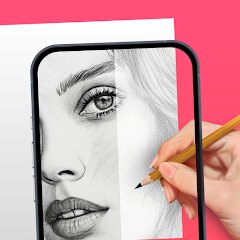
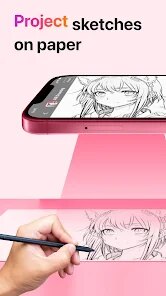
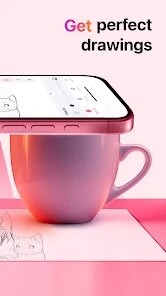
AR Drawing: Sketch & Paint is an innovative mobile application that transforms your surroundings into a dynamic canvas. At its core, the app leverages augmented reality (AR) technology to project a transparent image from your device's gallery onto any real-world surface you point your camera at. This allows you to trace the image onto physical paper, canvas, or any other medium with remarkable accuracy. The main purpose is to bridge the gap between digital inspiration and physical art, making complex drawing and sketching accessible to everyone, regardless of their freehand skill level.
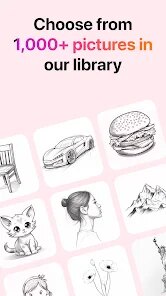
This app is a powerful tool for artists, hobbyists, students, and anyone who has ever wanted to replicate a favorite photo, create precise technical drawings, or simply learn the fundamentals of proportion and form. It solves the common problem of transferring a digital image to a physical page without expensive projectors or advanced artistic training. From my experience, the core tracing feature works exceptionally well in a well-lit environment. The ability to adjust the image's opacity, lock the projection in place, and use the on-screen grid for extra guidance makes the process intuitive. I used it to sketch a detailed portrait from a photograph onto a canvas for a personal gift, a task that would have been daunting and time-consuming otherwise. The app's additional features, like a basic library of traceable images and simple color tools, add value for quick projects but feel secondary to the primary AR tracing function.
I would highly recommend AR Drawing: Sketch & Paint to aspiring artists seeking to improve their accuracy, crafters looking to create custom designs on various surfaces, and educators who want to demonstrate drawing techniques in an engaging way. It is most useful in scenarios requiring precise replication, such as portrait sketching, technical illustration, mural planning, or creating consistent patterns for DIY projects. For pure digital painting or advanced photo editing, other dedicated apps would be more suitable, but for its specific niche of AR-assisted physical drawing, it excels.
Key Functional Highlights
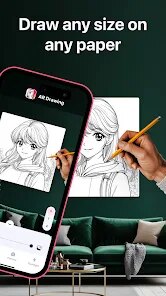
- 🔍 AR Live Tracing: The flagship feature uses your camera to overlay a chosen image onto your physical workspace. You can adjust size, rotation, and transparency in real-time to perfectly align with your paper.
- ✏️ Drawing Guides & Tools: Includes essential tools like a straight edge ruler, symmetry guides, and basic shape stencils to assist with geometric elements within your traced artwork.
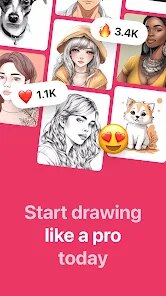
- 🖼️ Image Management: Import pictures directly from your device's gallery or use the app's included sample images. The interface allows for easy cropping and quick adjustments before projection.
- 📐 Stabilization & Grid: A stabilization function locks the AR projection to reduce shakiness, and an optional grid can be superimposed over the image for even more precise sectional tracing.
Advantages & Benefits
- 🎯 Democratizes Art Creation: Makes accurate drawing accessible to beginners and experts alike, removing a significant technical barrier to entry.
- ⚙️ Intuitive & Responsive Controls: The pinch-to-zoom and two-finger rotate gestures for adjusting the projected image feel natural and responsive, creating a smooth user experience.
- 💡 Practical for Various Projects: Its utility extends beyond paper to tracing on walls for murals, on fabric for designs, or on wood for craft patterns, offering great versatility.
Areas for Improvement
- ⚠️ Lighting Dependency: Performance degrades significantly in poor or uneven lighting, causing the projection to flicker or disappear, which can interrupt the workflow.
- 📱 Device Compatibility Variance: The AR experience's smoothness and stability can vary greatly depending on your device's camera quality and processing power.
- 🎨 Limited Native Art Tools: While fine for tracing, the built-in digital drawing brushes and color palette are very basic, making the app less ideal for any standalone digital art creation.
Recommended Apps
![]()
Boom Chip Blast: 2-Player
Black Pyramid 3D Games Studio0
![]()
Amazon Shopping
Amazon Mobile LLC4.1![]()
Culver's
Culver's3.3![]()
Drone App: Forecast for UAV
Go Dreams4.4![]()
Video call Elssa
TOSSINGAME LTD0![]()
Daily Diamonds Tips
TECHY BEAST3.7
![]()
HairApp: Hair Styler App, Bald
Lyrebird Studio Teknoloji Limited Şirketi3.5![]()
Bible Chat - Holy Bible Study
Book Vitals Inc.4.8![]()
Live Wallpapers HD 4K
Wallpaper app4.4![]()
Software Update for my phone
Art & Tool Studio4.1![]()
Rezona: Make Memeplays
Stratava Group4.1![]()
Doodle Art: Magic Drawing App
Peaksel Games4.4![]()
Rythmix: AI Music & Song Maker
PROMINENT FORTUNE PTE. LTD.4![]()
Wallpapers HD - Backgrounds 4K
TarrySoft4.4![]()
Birthday Secrets
shasunder4.4









You May Like
-
![]()
Google Earth
Google LLC3.8 -
![]()
Boom Chip Blast: 2-Player
Black Pyramid 3D Games Studio0 -
![]()
Ghost Detector Real Life Radar
Spot Among Party4.3 -
![]()
myChevrolet
General Motors (GM)4.6 -
![]()
Lie Detector Test: Prank App
DkTech inc.4.3 -
![]()
Chai: Chat AI Platform
Chai Research Corp.4.3 -
![]()
TeraBox: 1TB Cloud & AI Space
Flextech Inc.4.4 -
![]()
AI Detector & Humanizer
Wallet Passes Alliance4.4 -
![]()
Prank Sounds: Hair Cut & Fart
Smart Utilities Hub4.2 -
![]()
Eye Test
arabtok0 -
![]()
My Prediction Future Wedding
Now Tech3.3 -
![]()
Afterpay - Buy Now Pay Later
Afterpay3.8 -
![]()
ALDI Grocery Pickup & Delivery
ALDI International Services SE & Co. oHG4.6 -
![]()
The Prank App - Funny Sounds
Apps from da Woodz4.5 -
![]()
Themepack - App Icons, Widgets
YoloTech4.8