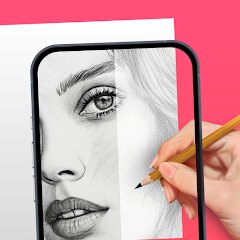
AR Drawing: Sketch & Paint
AR Drawing
Installs
10M+
Developer
AR Drawing
-
Category
Art & Design
-
Content Rating
Everyone
Developer Email
Privacy Policy
https://ar-drawing.com/privacy/
Screenshots
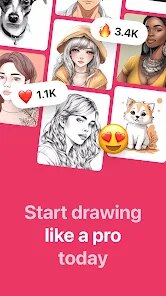
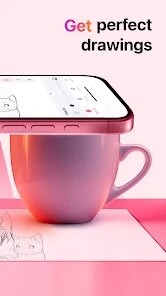

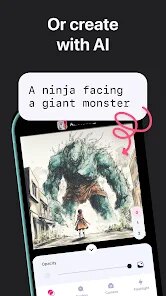
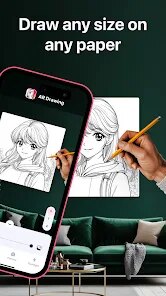
Expert Review
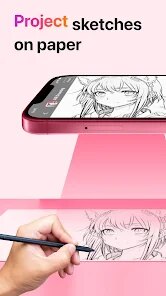
AR Drawing: Sketch & Paint is an innovative mobile application that transforms your surroundings into a dynamic canvas. At its core, the app leverages augmented reality (AR) technology to project a transparent image from your device's gallery onto any real-world surface you point your camera at. This allows you to trace the image onto physical paper, canvas, or any other medium with remarkable accuracy. The main purpose is to bridge the gap between digital inspiration and physical art, making complex drawing and sketching accessible to everyone, regardless of their freehand skill level.
This app is a powerful tool for artists, hobbyists, students, and anyone who has ever wanted to replicate a favorite photo, create precise technical drawings, or simply learn the fundamentals of proportion and form. It solves the common problem of transferring a digital image to a physical page without expensive projectors or advanced artistic training. From my experience, the core tracing feature works exceptionally well in a well-lit environment. The ability to adjust the image's opacity, lock the projection in place, and use the on-screen grid for extra guidance makes the process intuitive. I used it to sketch a detailed portrait from a photograph onto a canvas for a personal gift, a task that would have been daunting and time-consuming otherwise. The app's additional features, like a basic library of traceable images and simple color tools, add value for quick projects but feel secondary to the primary AR tracing function.
I would highly recommend AR Drawing: Sketch & Paint to aspiring artists seeking to improve their accuracy, crafters looking to create custom designs on various surfaces, and educators who want to demonstrate drawing techniques in an engaging way. It is most useful in scenarios requiring precise replication, such as portrait sketching, technical illustration, mural planning, or creating consistent patterns for DIY projects. For pure digital painting or advanced photo editing, other dedicated apps would be more suitable, but for its specific niche of AR-assisted physical drawing, it excels.
Key Functional Highlights
- 🔍 AR Live Tracing: The flagship feature uses your camera to overlay a chosen image onto your physical workspace. You can adjust size, rotation, and transparency in real-time to perfectly align with your paper.
- ✏️ Drawing Guides & Tools: Includes essential tools like a straight edge ruler, symmetry guides, and basic shape stencils to assist with geometric elements within your traced artwork.
- 🖼️ Image Management: Import pictures directly from your device's gallery or use the app's included sample images. The interface allows for easy cropping and quick adjustments before projection.
- 📐 Stabilization & Grid: A stabilization function locks the AR projection to reduce shakiness, and an optional grid can be superimposed over the image for even more precise sectional tracing.
Advantages & Benefits
- 🎯 Democratizes Art Creation: Makes accurate drawing accessible to beginners and experts alike, removing a significant technical barrier to entry.
- ⚙️ Intuitive & Responsive Controls: The pinch-to-zoom and two-finger rotate gestures for adjusting the projected image feel natural and responsive, creating a smooth user experience.
- 💡 Practical for Various Projects: Its utility extends beyond paper to tracing on walls for murals, on fabric for designs, or on wood for craft patterns, offering great versatility.
Areas for Improvement
- ⚠️ Lighting Dependency: Performance degrades significantly in poor or uneven lighting, causing the projection to flicker or disappear, which can interrupt the workflow.
- 📱 Device Compatibility Variance: The AR experience's smoothness and stability can vary greatly depending on your device's camera quality and processing power.
- 🎨 Limited Native Art Tools: While fine for tracing, the built-in digital drawing brushes and color palette are very basic, making the app less ideal for any standalone digital art creation.
Recommended Apps
![]()
GRUBL™ 4D Live Wallpapers + AI
TarrySoft4.6

![]()
Heaven Messenger - chat, map
SKYTRACK0![]()
iCut: Video Editor & Maker
iCut -Video Editor & Video Maker App3.8![]()
Secret Crush Detector App
Hopeitz Software4.8![]()
Football Jersey Maker
AJ DEVS3.4![]()
How Old Are Your Ears Fun Test
team5stars0![]()
Future Self Face Aging Changer
AMOBEAR TECHNOLOGY GROUP4![]()
ALDI Grocery Pickup & Delivery
ALDI International Services SE & Co. oHG4.6![]()
PixVerse: AI Video Generator
PixVerse4.5![]()
Ghost Photo Prank
Nachosware Prank Games4![]()
Voice Changer – Voice Effects
All Excellent Apps0![]()
Football Wallpaper HD 4K
Orange Infotech Studio4.6![]()
Brainzzot Universe: Prank Call
TeH Software0![]()
ChatGPT
OpenAI4.8![]()
TickTock-TikTok Live Wallpaper
TikTok Pte. Ltd.4.5











You May Like
-
![]()
Beauty Camera -Selfie, Sticker
Leopard V74.7 -
![]()
YouTube
Google LLC4.1 -
![]()
Anti Theft Alarm–Find my Phone
Phone Lock & Utilities Apps4.3 -
![]()
AR Draw Sketch - Trace & Paint
MØ Studios0 -
![]()
AI Detector & Humanizer
Wallet Passes Alliance4.4 -
![]()
Google Voice
Google LLC4.3 -
![]()
Face Camera: Live Stickers
Selfie Camera & Photo Editor & Beauty Snap4.3 -
![]()
Monster Detector: Alien, Ghost
Game Palette3.8 -
![]()
FunVid: Funny Face Filters
Vibe Filter Club0 -
![]()
Idol Prank Video Call & Chat
84devs Studio0 -
![]()
Old Me: AI Age & Future Aging
happy.ai.app2.4 -
![]()
Wave Live Wallpapers Maker 3D
Live Wallpapers by Wave Studio4.3 -
![]()
Medic Scanner - skin analyze
Investment Analytics3.7 -
![]()
GoFan: Buy Tickets to Events
GoFan4.8 -
![]()
Neon Love Theme
Delicate theme for Android App4.6