
The Choicer Voicer
SeweSol Game
Installs
100K+
Developer
SeweSol Game
-
Category
Video Players & Editors
-
Content Rating
Teen
Developer Email
Privacy Policy
https://sewesolgame.netlify.app/snake-slide-privacy-policy.html
Screenshots

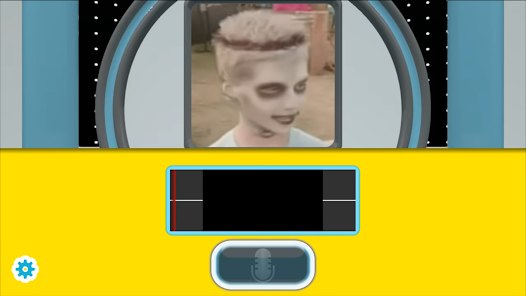
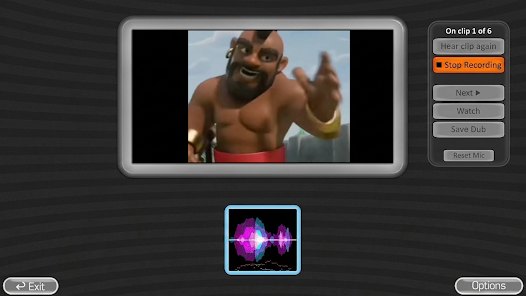

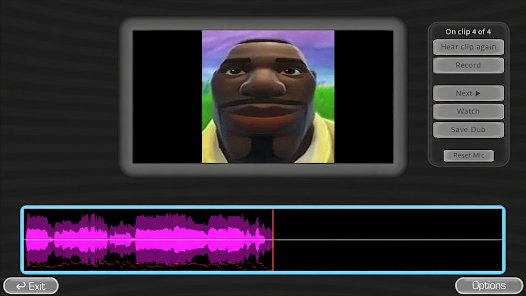
Expert Review
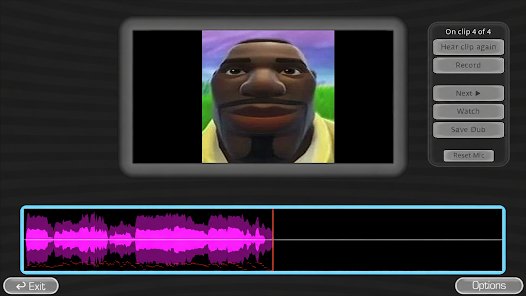
The Choicer Voicer, developed by SeweSol Game, is a utility designed to give players more control over the voices they hear in games and interactive media. Its central purpose is straightforward: it lets users adjust, select, and manage vocal audio so that the spoken content matches their preferences. The app targets people who spend significant time with narrative-driven titles, visual novels, or any experience where character voice work carries weight. Instead of forcing a single default voice track, it attempts to hand that decision to the listener.
At its core, the app organizes voice options and applies the user's selections within supported contexts. The main functionality is focused on voice selection and management, and for that narrow task the design appears coherent. Additional options broaden the scope somewhat, though their value depends heavily on how deeply a user engages with the app. Someone who only wants to swap a single character's voice may find the extra layers unnecessary, while a user curating a full cast of voices will get more out of them. The practical scenarios are easy to picture: a player who dislikes a particular voice performance, someone who wants a specific tone for immersion, or a user comparing vocal styles across a title. In each case, the app offers a structured way to make those adjustments rather than relying on guesswork. That said, the real-world benefit is bounded by which titles the app actually supports. Anyone expecting universal coverage across every game will likely be disappointed. The Choicer Voicer is best recommended to dedicated fans of narrative games who have a concrete voice preference and are willing to work within a limited compatibility range. Casual players with no strong opinion on voice work have little reason to install it.
Key Functional Highlights
- ✨ Voice selection: users can browse and pick from available voice options, which is the app's primary reason for existing.
- ✨ Voice adjustment controls: settings let users refine how selected voices are applied, giving a degree of fine-tuning beyond a simple pick-and-choose step.
- ✨ Collection management: users can organize their choices into a manageable set, useful for anyone juggling multiple voices across different characters.
- ✨ Integration with supported experiences: the app applies selections within compatible contexts, which is what turns a preference list into an actual listening change.
Advantages & Benefits
- ✅ The interface keeps the focus on voice work, so users are not distracted by unrelated features.
- ✅ The selection flow is direct, letting users move from browsing options to applying a choice without unnecessary steps.
- ✅ Organizing multiple voices is handled in a way that scales reasonably well for users managing a full cast.
- ✅ Supported contexts respond to the user's chosen settings, so the effort put into configuration produces a visible result.
Areas for Improvement
- ⚠️ Compatibility appears limited, so the app may not apply to every title a user plays.
- ⚠️ The feature set is narrow, and users expecting broader audio editing tools will find it underpowered.
- ⚠️ The value depends on the quality of available voice options, over which users have no direct control.
- ⚠️ Documentation and guidance could be clearer, making it harder for newcomers to know which experiences are supported.
Recommended Apps
![]()
Cat & Dog Translator Simulator
Notebook & Notepad & CV & Resume Example & Piano4
![]()
4D Parallax Wallpaper 3D HD 4K
Wallpapers by Vinwap4.5
![]()
Vbucks GENERATOR V-Bucks
Espace gaming2.2![]()
Photo Tool
COLIFER LAB4![]()
Celebrity Prank Call & Chat
DINO Global LTD4.6![]()
The Prank App - Funny Sounds
Apps from da Woodz4.5![]()
FreeDrama
Game Laws4.2![]()
Kling AI: AI Image&Video Maker
Lohas Games Pte. Ltd.4.4![]()
Rythmix: AI Music & Song Maker
PROMINENT FORTUNE PTE. LTD.4![]()
Transparent Live Wallpaper
Mobi Softech3.9![]()
BlinkDrama: Short Dramas & TV
Atlas Ventures Culture & Technology Limited4.5![]()
Anime Girl Wallpapers
Wallpaper World Designs4.7![]()
Monster High™ Beauty Salon
CrazyLabs LTD4.5![]()
Crush Love Tester
A.L Studio3.7![]()
FaceLab: Face Editor, Aging
Lyrebird Studio4.4















You May Like
-
![]()
Prank Sounds: Haircut & Taser
Mobile Innovate X0 -
![]()
Talkie: Soulful Character AI
SUBSUP4.2 -
![]()
Monster Call: Prank Video Call
TeH Software4.2 -
![]()
DramaBox - Stream Drama Shorts
STORYMATRIX4.6 -
![]()
Mirror of Past Life : Magic, P
Game Palette3.3 -
![]()
MyHeritage: Family Tree & DNA
MyHeritage.com4.4 -
![]()
Astrolink: Birth Chart
Astrolink Orbe4.2 -
![]()
Shot Fx - Super power Video Fx
Southern Studio4.6 -
![]()
Tuya- Smart Life, Smart Living
Tuya Smart Inc.4.5 -
![]()
Idol Prank Video Call & Chat
84devs Studio0 -
![]()
SillyGlow: Smile Wallpaper 4K
BizApp Inc.0 -
![]()
Chatbot AI & Smart Assistant
Codespace Dijital4.5 -
![]()
Face Live Camera: Face Filters
Lyrebird Studio4.1 -
![]()
Seekee - Ai Search & Assistant
Seekee Ltd4.6 -
![]()
Emoji Battery Widget
MIA Studio Inc0