Google Earth
Google LLC
Installs
500M+
Developer
Google LLC
-
Category
Travel & Local
-
Content Rating
Everyone
Developer Email
Privacy Policy
http://www.google.com/policies/privacy
Screenshots
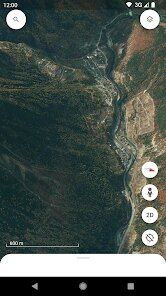
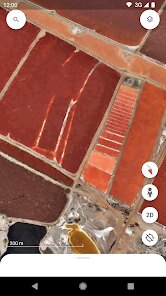
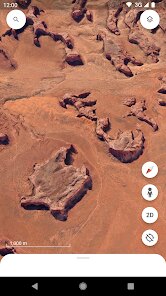
Expert Review
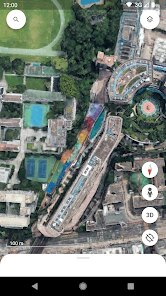
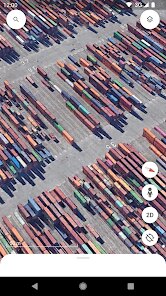
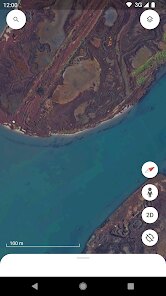
Google Earth has long been the standard for immersive digital cartography, and its mobile iteration lives up to that legacy. At its core, the app lets you zoom from a view of the entire planet down to a single street corner, using a mix of high-resolution satellite imagery and user-generated photos. The main draw is exploration: you can spin the globe, search for any address or landmark, and get a detailed, textured view of the terrain. Beyond basic mapping, it includes tools like 3D buildings for major cities, a built-in flight simulator, and a time-lapse feature that shows decades of environmental change. The app also touches on education, providing guided tours of places such as the Grand Canyon or the Great Barrier Reef, complete with interactive notes and embedded videos.
The intended audience isn't narrow. Travel planners get a vivid look at a destination before booking a trip, students use it for geography projects, and curious souls just like to wander. For me, it has become an indispensable tool for outdoor route planning. When I need to scout a hiking trail, the terrain layer and 3D topography are far more reliable than a standard flat map. It has saved me from picking paths that look fine on paper but are actually on dangerously steep slopes. The ability to measure distances and drop pins to mark waypoints also turns the app into a practical field notebook.
In terms of performance, the core features are smooth. Zooming in and out is responsive, and the satellite imagery loads quickly on a solid connection. That said, the value of the extras depends on your taste. The 3D building feature is stunning in cities like New York or Tokyo, but it feels gimmicky in less developed areas. The flight simulator is a fun diversion, though it isn't a reason to install the app. I would recommend Google Earth to anyone who values spatial awareness, from a hiker preparing for a weekend trek to a history buff wanting to explore ancient ruins in visual detail. It is most useful as a planning and educational tool, not a turn-by-turn navigator. For on-road traffic and directions, you are better off with a dedicated GPS app.
Key Functional Highlights
- 🌍 Explore the world with a fully interactive 3D globe. Search any location, spin the planet, and get a top-down view of streets, mountains, and coastlines with near-photographic clarity.
- 🕰️ Time-lapse mode is a standout. You can watch urban sprawl, melting glaciers, and deforestation over the past 35 years. It is a powerful visual history lesson that many users do not discover at first.
- 📐 Measure distances and areas with precision. This is not a flashy feature, but it is a workhorse. I have used it to calculate the length of a proposed bike route and to estimate the width of a river before a kayak trip.
- 🧭 The terrain and elevation layers are a game-changer for outdoor enthusiasts. You can switch to a topographic view that shows contour lines and slopes, making it easy to avoid a deceptively steep path.
Advantages & Benefits
- ✅ The rendering of 3D buildings is remarkably detailed. City skylines can be rotated and inspected from any angle, which feels like a mini virtual tour.
- ✅ The app is free with no intrusive ads. The interface is clean, and you can access the majority of premium-like features without spending a cent.
- ✅ The search and location history sync works well with your Google account. If you mark a spot on the web version, it shows up on your phone instantly.
Areas for Improvement
- ❌ The app drains battery quickly. Even a ten-minute 3D exploration session can noticeably heat up my phone, which is concerning on a long day out.
- ❌ Offline functionality is nearly useless. You cannot pre-download a specific area for offline use in a convenient way, which is a shame when traveling to places with weak signals.
- ❌ The main navigation features for driving are not helpful here. It lacks real-time traffic updates and turn-by-turn directions, so you have to switch to another app for daily commute.
Recommended Apps
![]()
GRUBL™ 4D Live Wallpapers + AI
TarrySoft4.6

![]()
Heaven Messenger - chat, map
SKYTRACK0![]()
iCut: Video Editor & Maker
iCut -Video Editor & Video Maker App3.8![]()
Secret Crush Detector App
Hopeitz Software4.8![]()
Football Jersey Maker
AJ DEVS3.4![]()
How Old Are Your Ears Fun Test
team5stars0![]()
Future Self Face Aging Changer
AMOBEAR TECHNOLOGY GROUP4![]()
ALDI Grocery Pickup & Delivery
ALDI International Services SE & Co. oHG4.6![]()
PixVerse: AI Video Generator
PixVerse4.5![]()
Ghost Photo Prank
Nachosware Prank Games4![]()
Voice Changer – Voice Effects
All Excellent Apps0![]()
Football Wallpaper HD 4K
Orange Infotech Studio4.6![]()
Brainzzot Universe: Prank Call
TeH Software0![]()
ChatGPT
OpenAI4.8![]()
TickTock-TikTok Live Wallpaper
TikTok Pte. Ltd.4.5













You May Like
-
![]()
Beauty Camera -Selfie, Sticker
Leopard V74.7 -
![]()
YouTube
Google LLC4.1 -
![]()
Anti Theft Alarm–Find my Phone
Phone Lock & Utilities Apps4.3 -
![]()
AR Draw Sketch - Trace & Paint
MØ Studios0 -
![]()
AI Detector & Humanizer
Wallet Passes Alliance4.4 -
![]()
Google Voice
Google LLC4.3 -
![]()
Face Camera: Live Stickers
Selfie Camera & Photo Editor & Beauty Snap4.3 -
![]()
Monster Detector: Alien, Ghost
Game Palette3.8 -
![]()
FunVid: Funny Face Filters
Vibe Filter Club0 -
![]()
Idol Prank Video Call & Chat
84devs Studio0 -
![]()
Old Me: AI Age & Future Aging
happy.ai.app2.4 -
![]()
Wave Live Wallpapers Maker 3D
Live Wallpapers by Wave Studio4.3 -
![]()
Medic Scanner - skin analyze
Investment Analytics3.7 -
![]()
GoFan: Buy Tickets to Events
GoFan4.8 -
![]()
Neon Love Theme
Delicate theme for Android App4.6