iControl: Easy Widgets Themes
Fancy keyboard for theme apps
Installs
10M+
Developer
Fancy keyboard for theme apps
-
Category
Productivity
-
Content Rating
Teen
Developer Email
Privacy Policy
https://icontrol-themes.web.app/privacy-policy
Screenshots
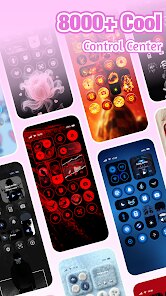
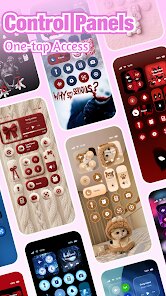
Expert Review
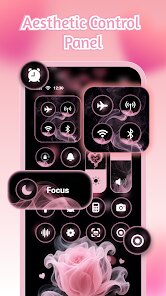
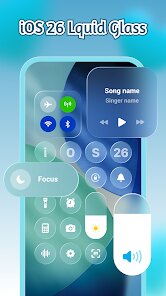
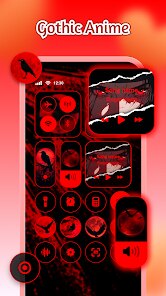
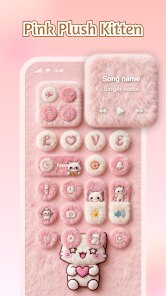
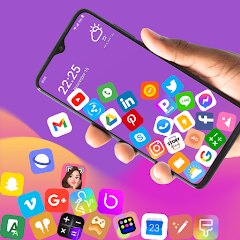
iControl: Easy Widgets Themes is a customization app designed to help Android users personalize their home screens beyond what standard launchers offer. The app focuses on providing a wide selection of widgets, themes, and icon packs that work together to create a cohesive visual experience. It's built for people who want their phone to reflect their personality but don't want to spend hours fiddling with complex settings or learning design tools.
The target audience is broad – from teenagers wanting a trendy aesthetic to professionals who want a clean, organized workspace. The core purpose is solving the problem of boring, generic phone interfaces by offering an accessible way to apply complete visual overhauls. I downloaded it after getting tired of my default grid layout. Within minutes, I found myself mixing a weather widget with a neon icon set, and the result looked surprisingly polished for something I threw together without any design background. It even helped me solve a practical issue: I started using a calendar widget that actually made me check my schedule more often because it looked nice on my screen.
For the core features, the widget selection is genuinely impressive. You get everything from basic clocks to interactive music players and fitness trackers. The themes are pre-assembled, which is great if you're not into mixing and matching, though the icon packs require a compatible launcher to work fully. Based on my experience, I'd recommend this app to anyone who wants to refresh their phone's look without rooting or installing complicated software. It's especially useful for users who value visual appeal but have limited time or patience for manual customization. If you're the type who changes your wallpaper every week and wants everything to match, this app will feel like a treasure chest.
Key Functional Highlights
- 🛠️ The widget library is the star of the show. There are hundreds of options ranging from minimalist analog clocks to detailed weather panels with animated backgrounds. Each widget can be resized and has its own set of customizable colors and fonts, so you can match it to your wallpaper or theme. I was able to create a unified look by adjusting every widget to use the same shade of teal.
- 📱 Theme packs bundle wallpapers, icon styles, and widgets into one-click setups. This is perfect for users who don't want to spend time curating individual elements. The themes are categorized by mood – "Cyberpunk," "Pastel Dreams," "Dark Academia" – which makes browsing fun. I applied a "Retro Wave" theme and my entire home screen transformed in seconds.
- 🎨 The app includes a built-in icon customization tool that lets you change app icons without needing a third-party launcher. You can pick from preset icon packs or use your own images. This was a game-changer for me because I always hated how mismatched app icons looked against my carefully chosen wallpaper.
- ⚙️ Performance monitoring widgets are an unexpected bonus. You can add widgets that show battery percentage, RAM usage, and storage space in stylish formats. I now have a circular battery gauge that blends into my home screen design while keeping me informed.
Advantages & Benefits
- 🔋 Battery-friendly design – iControl widgets don't drain your phone's resources. I noticed no significant battery drop after running multiple widgets for days.
- 🔄 Regular updates – The developers frequently add new themes and widget styles, so the content feels fresh. I've seen three updates in two months with new seasonal collections.
- 🎯 Intuitive interface – The app is surprisingly easy to navigate. Everything is categorized clearly, and the preview feature lets you see how a widget or theme will look before applying it.
Areas for Improvement
- ⚠️ Launcher dependency – Some features, especially full icon pack integration, require a compatible third-party launcher. This adds an extra step for users who don't already use one.
- 📊 Limited free content – The free version offers a decent taste, but many of the best widgets and themes are locked behind a subscription. The pricing feels a bit steep for what's essentially a cosmetic tool.
- 🔄 Occasional glitches – I experienced a few instances where widgets didn't update automatically, requiring a manual refresh. It's not constant, but it's noticeable when you rely on live data like weather.
Recommended Apps
![]()
Bikii Cloud Game
Bikii Game Dev3.5

![]()
Prank App - Funny Prank Sounds
Trusted Apps & Utilities Tools 20244.4![]()
Halloween Call: Monster
TeH Software0![]()
Idol Prank: Video Call & Chat
BUGUN SOFTWARE COMPANY LIMITED3.3![]()
eBay online shopping & selling
eBay Mobile4.6![]()
Photo Tool
COLIFER LAB4![]()
Passport Parking
Passport Labs, Inc.2.5![]()
YouVersion Bible App + Audio
Life.Church4.9![]()
Anime Girl Wallpapers
Wallpaper World Designs4.7![]()
EasyPark - Parking made easy
EasyPark AS4.8![]()
FaceApp: Perfect Face Editor
FaceApp Technology Ltd4.4![]()
Picsart AI Photo Editor, Video
PicsArt, Inc.4.1![]()
Rolling Icon: 3D Wallpaper
Maxlabs Personalization Tools4.4![]()
SHEIN-Shopping Online
Roadget Business PTE. LTD.4.6![]()
Talkie: Soulful Character AI
SUBSUP4.2













You May Like
-
![]()
3D Wallpaper Steampunk Energy
Keyboard Background for Android Apps4.6 -
![]()
My Cartoon Character
Andromeda App3.7 -
![]()
Fingerprint Scan Simulator
Dream-Up3.6 -
![]()
Skin Editor 3D for Minecraft
Remoro Studios4.4 -
![]()
My Name Meaning - Name Facts
DroidX Studio0 -
![]()
PND AI Photo Enhancer HD
PND AI 3604.8 -
![]()
What is my name meaning
Code Play0 -
![]()
Glitter Live Wallpaper Glitzy
Wallpapers by Vinwap4.3 -
![]()
Beauty Camera -Selfie, Sticker
Leopard V74.7 -
![]()
Allergy Plus by Pollen.com
IQVIA Inc.3.9 -
![]()
Monster Call: Prank Video Call
TeH Software4.2 -
![]()
Old Me: AI Age & Future Aging
happy.ai.app2.4 -
![]()
ThemeKit - Themes & Widgets
ThemeKit4.4 -
![]()
How Did You Die In The Past?
BuzzMoy0 -
![]()
Zodiac Palm Reader: MagicWay
Reatility Media4.6