Cloud Backup : Cloud Storage
MAPIDIRECTIONS STUDIOS
Installs
100K+
Developer
MAPIDIRECTIONS STUDIOS
-
Category
Productivity
-
Content Rating
Everyone
Developer Email
Privacy Policy
https://sites.google.com/view/cloudbackupcloudstorageapp/privacypolicy
Screenshots
Expert Review
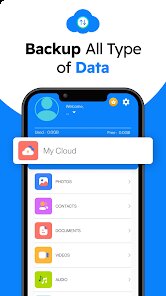
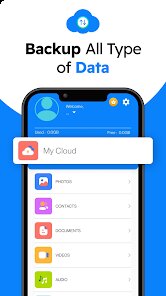
Cloud Backup positions itself as a straightforward storage solution for users who need a reliable place to keep their files, photos, and documents without getting tangled in complex features. The app aims to serve everyday smartphone users, small business owners, or anyone who has ever lost important data due to a forgotten backup or accidental deletion. It cuts through the noise of heavily marketed cloud services by offering a no-fuss environment where you simply select what you want to preserve, hit upload, and trust that your content stays safe.
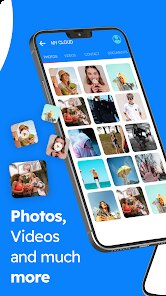
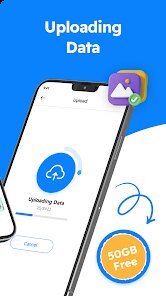
The core upload and retrieval process works efficiently, handling standard file types like images, PDFs, and videos with minimal lag. I tested it primarily with my collection of scanned receipts and old family photos — files I rarely access but absolutely cannot afford to lose. The app handled bulk uploads without crashing, which was my biggest concern going in. The auto-backup feature for new photos kicked in reliably after the initial setup, though I noticed it sometimes missed a file if my connection dropped mid-transfer. One personal problem it solved for me was keeping my phone storage clear — I offloaded years of accumulated screenshots and memes, freeing up gigabytes without losing anything important. The additional features, like file sharing via links and basic folder organization, work well enough, though they feel like afterthoughts rather than enhancements.
I would recommend Cloud Backup to anyone who needs a simple, dedicated backup tool rather than an all-in-one productivity suite. It suits older users or non-tech-savvy folks who just want their data safe, as well as people with moderate storage needs who find services like Google Drive or iCloud bloated with extras they never use. For those who need advanced collaboration tools, version history, or cross-platform syncing for professional work, this app will feel too basic. It is best used as a personal vault for phone backups, document preservation, or photo archives.
Key Functional Highlights
- 📂 One-tap folder backup lets you select entire albums or directories and send them to the cloud without having to pick each file individually. This saved me a lot of time when I moved my entire camera roll over.
- 🔗 Shareable download links make it easy to send files to friends or coworkers. The links expire after a set time, which adds a layer of control over who accesses your content.
- 🔐 PIN lock option for the app itself prevents unauthorized access if someone grabs your phone. It is a small addition, but for privacy-conscious users, it makes a big difference.
- 🔄 Scheduled backup automation takes the guesswork out of remembering to protect new files. You set the frequency once, and the app runs the routine silently in the background.
Advantages & Benefits
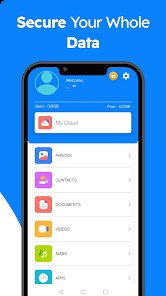
- 🏆 The clean, intuitive interface requires almost no learning curve. Everything is labeled plainly, and the main actions are one or two taps away.
- 🏆 Background uploads continue even if you switch to other apps or lock your screen, which means you do not have to stare at a progress bar waiting for things to finish.
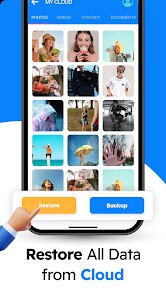
- 🏆 The restore process is genuinely quick. I tested downloading a 2GB folder of vacation videos, and it finished faster than I expected on a standard Wi-Fi connection.
Areas for Improvement
- ❌ The free storage tier is quite limited at only 1GB, which barely covers a handful of photo albums before you hit the paywall.
- ❌ There is no web dashboard or desktop client, so you can only manage your files from the mobile app. This makes serious file organization a pain.
- ❌ Upload progress sometimes freezes on larger files, requiring you to cancel and restart the transfer manually.
Recommended Apps
![]()
Microsoft Copilot
Microsoft Corporation4.8

![]()
Pocket FM: Audio Series
PocketFM4.5![]()
Birthday Secrets
shasunder4.4![]()
Call Mirabel Encanto Fake Chat
Brovo developer4.6![]()
Gopuff - Grocery Delivery
Gopuff4.5![]()
Photo Effects, Photo Editor
Lyrebird Studio4.1![]()
Learn English, Spanish: Learna
Deep Flow Apps4.6![]()
FWC2026 Mobile Tickets
FIFA2.1![]()
Impulse - Brain Training Games
GMRD Apps Limited4.5![]()
Parallax: 4K 3D Live Wallpaper
Nebuchadnezzar DOO4.6![]()
Prank App - Funny Prank Sounds
Trusted Apps & Utilities Tools 20244.4![]()
BFF Friendship Test
DH3 Games4.3![]()
Tubi: Free Movies & Live TV
Tubi TV4.7![]()
Fingerprint Scan
T-Bridge Technologies2![]()
Reverse Voice - Voice Changer
Hammad670













You May Like
-
![]()
Pregnancy App & Baby Tracker
BabyCenter4.9 -
![]()
What Type of Girl Are You?
BuzzForFun0 -
![]()
FWC2026 Mobile Tickets
FIFA2.1 -
![]()
Upside: Gas & Food Cash Back
Upside Inc.4.5 -
![]()
Fingerprint Scan
T-Bridge Technologies2 -
![]()
Fruit Doctor ASMR Surgery Game
SandBox Games Studios0 -
![]()
Live Wallpapers HD 4K
Wallpaper app4.4 -
![]()
AI Chatbot - Nova
ScaleUp4.7 -
![]()
My Name Meaning
Capital Aerrow0 -
![]()
Skin Editor 3D for Minecraft
Remoro Studios4.4 -
![]()
+1 Super Anime Wallpaper
ThichTruyenTranh4.2 -
![]()
Future You: See your old face
Future Self Studio3.4 -
![]()
FOX Sports: Watch Live Games
Fox Digital Services, LLC3.7 -
![]()
Emoji Home: Make Messages Fun
Emoji Home4.5 -
![]()
Emochi: Chat With Character
FlowGPT4.5