Arrow Puzzle: Tap Puzzle Games
Easybrain
Installs
50M+
Developer
Easybrain
-
Category
Puzzle
-
Content Rating
Everyone
Developer Email
Privacy Policy
https://easybrain.com/privacy
Screenshots
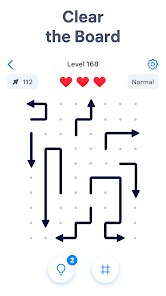
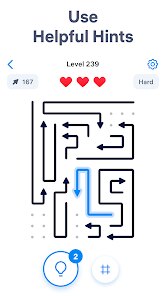
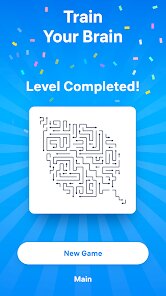
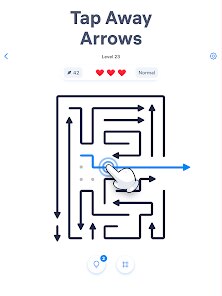
In-Depth Game Analysis
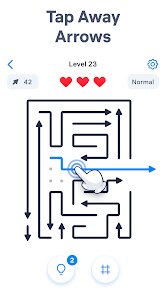
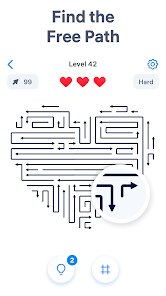
Arrow Puzzle: Tap Puzzle Games by Easybrain is a mobile puzzle game that challenges you to arrange arrows on a grid to match a target pattern. The core gameplay loop involves tapping on arrow tiles to rotate them, gradually aligning them all to point in specific directions set by each level's goal. It fits squarely into the casual puzzle genre, with a minimalist design and bite-sized stages that make it perfect for quick sessions. This game would appeal to anyone who enjoys logic puzzles like Sudoku or classic tile-matching, as well as casual gamers looking for a low-pressure mental exercise during commutes or breaks. I initially downloaded it after seeing it pop up on the App Store charts, drawn by its clean, almost meditative art style and the promise of a satisfyingly simple challenge. The hype among puzzle enthusiasts on forums also caught my eye, signaling that this might be more than just another filler app.
My personal experience was a slow burn that turned into a satisfying obsession. The early levels felt almost too easy, bordering on boring, as they quickly teach you the basic rotation mechanic. But around level 20, the difficulty curve kicked in with a satisfying snap. I remember one specific level where the arrows formed a spiral pattern that required careful, non-intuitive rotations to solve; it took me a solid five minutes of trial and error, and when the final arrow clicked into place, the visual confirmation was genuinely rewarding. The controls are responsive and smooth, with simple taps that register instantly. The learning curve is gentle, but the game keeps introducing new constraints — like requiring a specific number of moves or adding locked tiles — that prevent it from feeling stale. Performance wise, it runs flawlessly on my mid-range Android phone with no lag or crashes, which is crucial for a tap-based game. The only thing that slightly broke immersion was the lack of an undo button; one wrong tap on a complex level forced me to restart entirely. I found that focusing on solving from the edges inward, a trick I picked up from playing tile puzzles, significantly sped up my progress. The Zen mode, which removes the move counter, let me enjoy the challenge without pressure, and that became my go-to setting.
As someone who has played dozens of puzzle games from classics like Picross to modern hits like Monument Valley, I kept coming back to Arrow Puzzle because of its pure, unfiltered logic. It does not rely on flashy animations, a story, or any pay-to-win mechanics that might frustrate players. What it does better than most is deliver a clean, focused challenge that respects your time. Each level lasts between 30 seconds and two minutes, but the difficulty spikes kept me engaged for over a week of daily play. The satisfaction comes from pure mental problem solving, without any randomness or luck. Compared to many free puzzle games that bombard you with ads or energy timers, this one feels refreshingly fair; you can keep playing as long as you want without feeling nickel-and-dimed. For players who crave a no-nonsense, brain-teasing experience that is neither too simple nor overly complex, Arrow Puzzle stands out as a solid entry in its genre, though hardcore strategy fans might find it too repetitive after the first hundred levels.
Core Gameplay Features
- Arrow Rotation Mechanics 🔄: Each level presents a grid of tiles, each with a directional arrow. You tap a tile to rotate it clockwise, and the goal is to get every arrow pointing exactly as shown in the target pattern at the top of the screen. This simple rule creates surprisingly deep puzzles as grids grow larger and patterns become more intricate.
- Move Count and Star System ⭐: Levels track how many taps you use to solve the puzzle. Completing a level within a certain number of moves earns you one to three stars. This adds replay value because you often finish a level messily the first time, then come back to perfect it with fewer moves for a higher rating.
- Daily Challenge and Zen Mode 📅: There is a daily puzzle that refreshes every 24 hours, offering a unique, hand-crafted challenge. Zen Mode removes the move counter entirely, letting you tap freely without worrying about stars or performance. This mode is perfect for relaxing sessions where you just want the mental stimulation without pressure.
Strengths & Highlights
- Pure Logic Satisfaction 🧠: The best part of Arrow Puzzle is the mental click when a solution falls into place. There is no luck or randomness involved; every puzzle is solvable through careful deduction. That feeling of slowly untangling a chaotic mess of arrows until it matches the target exactly is deeply rewarding and keeps me coming back for more.
- Clean and Minimalist Art 🎨: The visual design is incredibly clean, with a soft color palette and sharp, simple arrow icons that are easy to read at a glance. No distracting backgrounds or flashy effects — just the puzzle and your thoughts. This makes it relaxing to play for long stretches without eye strain or sensory overload.
- Fair Monetization Policy 💰: The game is free to play but does not push ads aggressively. You can watch optional ads for hints or to skip a level, but there is no forced interruption after every puzzle. This respect for player time is rare in mobile games and makes the experience feel premium without a price tag.
Limitations to Consider
- Lack of an Undo Button ↩️: Once you tap a tile, you cannot reverse that action unless you complete the move or restart the level. On large grids, one accidental tap can ruin a perfect strategy and force a full reset. Adding an undo button would reduce frustration without trivializing the puzzles.
- Repetitive Music and Sound 🔇: The background music is a single, looping ambient track that becomes grating after half an hour. Similarly, the sound effects for taps and completions are minimal and lack variety. I ended up muting the game entirely after a few sessions, which is a shame because good audio can enhance immersion.
- Difficulty Curve Plateaus Mid-Game 📉: After the initial challenge spike around level 20, the difficulty plateaus for a long stretch. Between levels 30 and 60, many puzzles feel like slight variations of the same pattern rather than genuinely new brain teasers. More diverse puzzle types or constraints in the middle levels would keep the experience fresh longer.
Recommended Apps
![]()
Indian Bikes Driving 3D
Rohit Gaming Studio4.2
![]()
Gabbys Dollhouse: Games & Cats
Play Piknik4.1![]()
Teacher Life Simulator
Famous Good Games4.2![]()
Little Nightmares
Playdigious4.4![]()
Dude Theft Wars FPS Open world
Poxel Studios Games4.3![]()
Spatial Touch™
VTouch, inc.3.7
![]()
Skin Maker & 3D Editor
Pixelvoid Games Ltd4.5![]()
Truck Games - Driving School
Better Games Studio Pty Ltd4.1![]()
Squid Game: Unleashed
Netflix, Inc.4.4![]()
Hide in The Backrooms: Horror
CASUAL AZUR GAMES3.8![]()
Fortnite
Epic Games, Inc4![]()
Toca Boca World
Toca Boca4.3![]()
Creepy Clown - Circus Escape
Maxim Ten4![]()
Doll Diary: Kpop Dolly DIY
NEXCOSMO4.8![]()
IQ: The Impossible Quiz
Incradiator Games0











You May Like
-
![]()
Dude Theft Wars FPS Open world
Poxel Studios Games4.3 -
![]()
Gangster City: Mafia Crime
NitroTech Studio3.5 -
![]()
Obby Survival Parkour Game
PLAYTRICKS STUDIO LLC0 -
![]()
Five Nights at Freddy's
Clickteam USA LLC4.7 -
![]()
My Singing Pet: Pop Piano Game
PulseBeat Studios4.6 -
![]()
Warpath: Ace Shooter
LilithGames4.1 -
![]()
Save the Doge
WONDER GROUP4.2 -
![]()
FamilySearch Africa
FamilySearch International0 -
![]()
Skins For Roblox Clothes
uschultz4.6 -
![]()
Bloons TD Battles
ninja kiwi4.3 -
![]()
Grow a Garden: Farm & Relax
MiniPoP Games2.2 -
![]()
Vortella's Dress Up
Devortel4 -
![]()
MementoMori: AFKRPG
Bank of Innovation, Inc.4.5 -
![]()
Beam Drive Crashes Original 3D
CrashTime4.2 -
![]()
Swamp Attack
Outfit7 Limited4.6