iCut: Video Editor & Maker
iCut -Video Editor & Video Maker App
Installs
500K+
Developer
iCut -Video Editor & Video Maker App
-
Category
Video Players & Editors
-
Content Rating
Everyone
Developer Email
Privacy Policy
https://www.icut.studio/about/privacy.html?lang=en
Screenshots
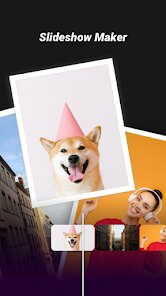
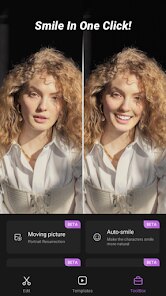
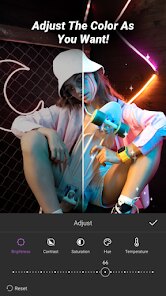
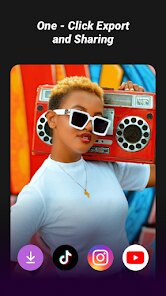
Expert Review
iCut positions itself as a one-stop video editing solution for mobile creators, aiming to bridge the gap between casual trimming needs and more ambitious short-form content production. The app's primary appeal lies in its promise of professional-grade tools without the steep learning curve that often accompanies desktop software. It's designed for social media enthusiasts, vloggers, and anyone who needs to quickly polish footage for platforms like TikTok, Instagram Reels, or YouTube Shorts.
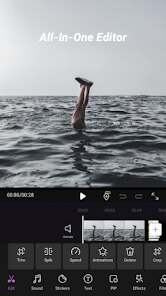
The core functionality revolves around a clean, timeline-based editor that handles multi-track operations surprisingly well. I found the keyframe animation system particularly impressive — it allows for precise control over movement and scaling, which is typically a feature reserved for premium apps. The built-in effects library, while not as extensive as some competitors, offers a curated selection that feels modern rather than dated. What truly sets it apart is the performance optimization; even when working with 4K footage on a mid-range device, the preview remained fluid and export times were consistently fast.
On a personal note, I've been using iCut to repurpose long-form content into shorter clips for social media. The automatic caption generation, while not flawless, saved me hours of manual transcription. The background removal tool, though, was a mixed bag — it works wonderfully on solid backgrounds but struggles with complex scenes. For someone who values speed over absolute perfection, this trade-off is acceptable. I would recommend this app to content creators who need a reliable mobile editing suite that doesn't require constant internet connectivity to function. It's particularly useful for travel vloggers who need to edit on the go without draining their data plan.
Key Functional Highlights
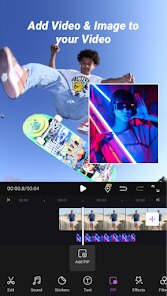
- 🔄 The multi-layer timeline editor supports up to four video tracks, enabling complex overlays and picture-in-picture effects. I tested this by layering a reaction video over gameplay footage, and the syncing remained flawless throughout the edit.
- 📱 The export presets are optimized for every major social platform. Instead of guessing the right resolution or aspect ratio, the app automatically configures settings based on your chosen destination. The 1080p 60fps export took under two minutes for a three-minute project.
- 🎯 The keyframe animation system provides frame-by-frame control over position, scale, rotation, and opacity. Creating a Ken Burns effect on a static image was as simple as setting two keyframes, and the interpolation was buttery smooth.
Advantages & Benefits
- ⚡ Performance optimization is outstanding — the app rarely crashes even with heavy projects, and exports are consistently faster than comparable editors I've tested.
- 🧩 The user interface is intuitive without being oversimplified. New users can start editing immediately, while advanced options remain accessible through contextual menus that don't clutter the main workspace.
- 🔊 Audio editing capabilities are surprisingly robust, featuring a noise reduction filter that actually works without distorting the main audio track.
Areas for Improvement
- 💾 The free version imposes a watermark on exports and limits resolution to 720p. The premium subscription is priced higher than some competitors offering similar features.
- 🎨 The color grading tools lack curve adjustments and LUT support, which might disappoint users looking for fine-grained color control.
- 📦 The asset library relies heavily on online downloads, and offline functionality is limited to basic editing operations without access to most effects and transitions.
Recommended Apps
![]()
Gay Dating & LGBT Hookup App
Hookup Apps to Hook up Local Dating4.5

![]()
How Old Do I Look - Age Camera
Lucky Studio Games & App4![]()
Woofz - Puppy and Dog Training
nove84.4![]()
FishAngler: Fishing Guide App
FishAngler, LLC4.3![]()
Glitter Live Wallpaper Glitzy
Wallpapers by Vinwap4.3![]()
Gay Test - Sexuality Quizzes
Zoshi4![]()
BitMind: AI Detector & Creator
BitMindAI2.8![]()
Future Self - Old Age Filter
Lucky Cat Arts1.7![]()
WhatsApp Messenger
WhatsApp LLC4.5![]()
Colliz - DIY Wallpaper Craft
Braly JSC2.9![]()
Idol Prank Call - Fake Call
BetterLife Technology4.5![]()
Period Calendar Period Tracker
Simple Design Ltd.4.9![]()
Perfect Me -Face & Body Editor
ryzenrise4.5![]()
Zootopia 2 Stickers & Emojis
Disney0![]()
Sora by OpenAI
OpenAI4.7













You May Like
-
![]()
Lip Fall Challenge: Fun Filter
Braly JSC0 -
![]()
Upside: Gas & Food Cash Back
Upside Inc.4.5 -
![]()
Reverse Voice: Flip Singing
NindaFuit0 -
![]()
Ghost Detector Real Life Radar
Spot Among Party4.3 -
![]()
Magic Voice Changer
PerryLeeGame32.3 -
![]()
Hair Clipper Prank, Fart Sound
duff hl studio4.1 -
![]()
Notepad, Notes, Easy Notebook
Simple Design Ltd.4.8 -
![]()
Google Meet (original)
Google LLC3.9 -
![]()
Emoji background changer
Judi Studio4.4 -
![]()
Crush Love Finder: Fun Filter
Braly JSC0 -
![]()
PineDrama - Short Dramas
TikTok Pte. Ltd.4.4 -
![]()
Kissing Test Calculator
We Love pranks3 -
![]()
Bug Filter: Funny Prank App
HKL Game Studio0 -
![]()
Prank Call: Fake Video Prank
MoranJiyounge3.7 -
![]()
Metal Detector - Gold Finder
Appwest Limited3.9