
Pollo AI: AI Video Generator
COCOSOFT TECHNOLOGY PTE. LTD.
Installs
1M+
Developer
COCOSOFT TECHNOLOGY PTE. LTD.
-
Category
Entertainment
-
Content Rating
Everyone
Developer Email
Privacy Policy
https://pollo.ai/privacy-policy
Screenshots


Expert Review
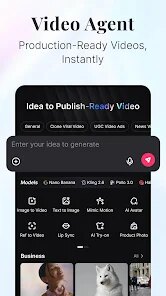
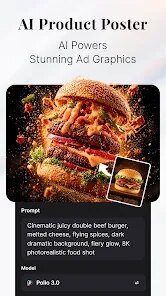
The AI video generation space has been absolutely flooded over the last year, and most tools feel like slightly different skins on the same underlying tech. Pollo AI from COCOSOFT TECHNOLOGY PTE. LTD. tries to carve out its own space by focusing on versatility without requiring a PhD in machine learning to operate. At its core, this app is built to take your text prompts, reference images, or even short video clips and turn them into generated video content. The main pitch is that you don't need to be a professional editor or animator to get something that looks halfway decent.
The target audience here seems to be content creators, social media managers, and small business owners who need a steady stream of visual material but don't have the budget for a full production studio. I fall somewhere in that group myself, mostly needing quick B-roll for product demonstrations and short promotional clips. I was honestly skeptical at first because I've run into so many services that promise cinematic quality and deliver glitchy nightmares. But after spending a couple weeks with it, I can say the core text-to-video pipeline actually works better than I expected. The motion coherence is solid for simple scenes, and the lip-sync feature for avatar videos was shockingly accurate in my tests.
That said, there are clear limits on what it handles gracefully. Complex scenes with multiple moving subjects or rapid camera transitions tend to introduce artifacts. I found it works best when you keep your prompts simple and focused on one or two elements. If you are a solo content creator who needs to churn out short-form videos for platforms like TikTok or Instagram Reels, or someone who wants to experiment with visual ideas without spending hours in traditional editing software, Pollo AI offers a genuinely useful shortcut. It is not going to replace a professional 3D animation pipeline, but for quick turnaround content, it gets the job done.
Key Functional Highlights
- ♡ Text-to-Video Generation: You type out whatever scene you have in your head, pick a style preset, and the app processes it into a short video clip. What surprised me was how well it handled abstract concepts like falling cherry blossoms in the wind. The rendering speed is acceptable, usually finishing a 4-second clip in about a minute depending on server load.
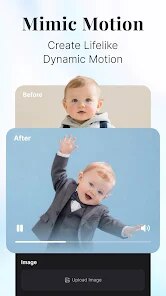
- ♡ Image-to-Video Animation: This lets you upload a static photo and have the app animate it. I tested this with a picture of a dog sitting on a porch, and it added subtle movement to the tail and head while keeping the background stable. It is not perfect with every image, but when it works, the result has a nice cinematic feel.
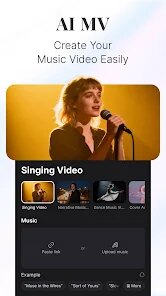
- ♡ Lip-Sync for Avatar Clips: One of the more impressive features. You upload a face image and a voice recording, and the app syncs the mouth movements to the audio. I tried it with a recording of my own voice, and the mouth shapes were surprisingly natural. It stumbles a bit with fast speech or unusual angles, but for front-facing talking head videos, it holds up.
Advantages & Benefits
- ♡ Easy on-ramp for beginners. The interface is clean and the prompt templates give you a solid starting point without forcing you to guess parameters.
- ♡ Consistency with simple scenes. Unlike some competitors that hallucinate wildly, Pollo AI keeps its composition stable when you stick to straightforward subjects.
- ♡ Fast rendering on standard prompts. You are not waiting around forever for a 4-second clip to finish, which matters when you are on a deadline.
Areas for Improvement
- ♡ Struggles with complex motion. Any scene with more than two moving objects tends to introduce warping or blur that breaks immersion.
- ♡ Limited export resolution at the base tier. Free users are capped at a resolution that looks soft when viewed on larger screens.
- ♡ The prompt library is too small. While the templates help beginners, more advanced users will quickly hit a wall wanting more stylistic control.
Recommended Apps
![]()
Bugzz: Insect Prank Filters
Smart Utilities Hub3.8

![]()
FaceLab: Face Editor, Aging
Lyrebird Studio4.4![]()
TickTock-TikTok Live Wallpaper
TikTok Pte. Ltd.4.5![]()
Mirror of Past Life : Magic, P
Game Palette3.3![]()
The Choicer Voicer
KARBON COFFEE GAME1.2![]()
GPS Speedometer: Speed Tracker
SM Infotech3.2![]()
4D Live Wallpaper–HD Wallpaper
ZERO Tech4.5![]()
ParkMobile: Park. Pay. Go.
Parkmobile, LLC4.3![]()
Santa Prank Call: Fake video
Era Global Publishing4![]()
Picsart AI Photo Editor, Video
PicsArt, Inc.4.1![]()
FaceMagic - AI Face Editor
Apero Vision Lab3.9![]()
Reverse Voice - Voice Changer
Hammad670![]()
Life Palmistry - Palm & Aging
Bluewolf Technology Limited4.3![]()
FWC2026 Mobile Tickets
FIFA2.1![]()
Find Your Phone By Clap
Trusted App Global4.5













You May Like
-
![]()
Boom Chip Blast: 2-Player
Black Pyramid 3D Games Studio0 -
![]()
Pets Translator: Dog & Cat
JanDeveloper0 -
![]()
Labyrinthos Tarot Cards
Labyrinthos Academy4.7 -
![]()
Hailuo Al: Image&Video Maker
MiniMax AI4 -
![]()
Brain Test: Alzheimer's
Living Maples Healthy Aging0 -
![]()
Poe - Fast AI Chat
Quora, Inc.4.7 -
![]()
Simple Calendar - easy planner
Komorebi Inc.4.7 -
![]()
Face Changer 2
Scoompa4.3 -
![]()
Mirror of Past Life : Magic, P
Game Palette3.3 -
![]()
Direct Express®
i2c Inc.4.3 -
![]()
Voice Changer – Voice Effects
All Excellent Apps0 -
![]()
The Choicer Voicer
KARBON COFFEE GAME1.2 -
![]()
Scan My Teeth
Tabica Group1.8 -
![]()
K-Pop Girls Fashion Dress Up
cinnamonroll4 -
![]()
Call Santa Claus: Prank Call
Jaadoo Studio0