Version AI: AI Photo Generator
Apptribe Dijital
Installs
100K+
Developer
Apptribe Dijital
-
Category
Generative AI
-
Content Rating
Everyone
Developer Email
Privacy Policy
https://sites.google.com/view/version-ai-privacy-policy/home
Screenshots

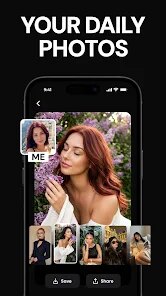
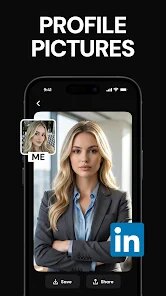
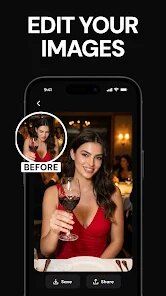
Expert Review
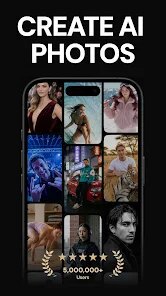
Version AI: AI Photo Generator is an app that uses artificial intelligence to create images based on text descriptions you provide. It's built for anyone who needs to generate unique visuals without any design skills - marketing people creating social media content, writers looking for story illustrations, or someone like me who just wants to mess around and see what the AI comes up with. The core idea is simple: type what you want to see and get an image back.
After playing with it for a few days, I have mixed feelings. The core feature works, but the results are hit or miss depending on how detailed your prompt is. When I wrote "a cat wearing a spacesuit on Mars," it delivered something that looked right but with weird proportions and distorted paws. On the flip side, more abstract prompts like "neon city in rain" came out surprisingly good. The app solved my immediate need of generating random images for brainstorming sessions, but I wouldn't trust it for anything that needs precision or realistic human figures.
I would recommend Version AI to casual users experimenting with AI art for fun or as inspiration. It's also useful if you need quick placeholder images for a project. But if your goal requires photorealistic output or consistent character designs, you'll probably feel let down. It works best when you treat it as a sketch tool rather than a finished product generator.
Key Functional Highlights
- ✅ Text-to-image generation with customizable styles - You describe what you want and choose from art styles like sketch, digital painting, or anime. The style filter actually makes a noticeable difference, which is nice when you want something that looks like a specific medium.
- ✅ Built-in image editing tools - After generation, you can adjust brightness, contrast, and add text overlays. These are basic but work well enough for quick tweaks without jumping into another app. I used this to add captions to a few test images, and it handled that fine.
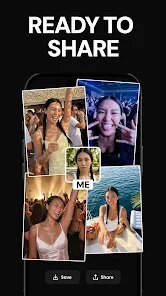
- ✅ Gallery and sharing - The app saves all your generations in one place and lets you export them without watermarks. You can also share directly to Instagram, Twitter, or save to camera roll. The gallery layout is clean and easy to browse through.
- ✅ Prompt suggestions for beginners - If you're stuck, there's a library of prompt ideas organized by theme like fantasy, sci-fi, or nature. This helped me get started when I had no clue what to type. The suggestions are pretty creative, honestly.
Advantages & Benefits
- 🚀 Fast generation speed - Images appear in about ten seconds. You're not waiting around, which keeps the creative flow going.
- 🚀 Clean user interface - Everything is labeled clearly. No confusing menus or buried features. You open the app and immediately know what to tap.
- 🚀 No forced sign-up at start - You can generate a few images before being asked to create an account. That lowered the barrier for me to test it out.
Areas for Improvement
- ⛔ Inconsistent quality - Some images look great, others have weird glitches like extra fingers or melted faces. There's no way to predict which you'll get.
- ⛔ Limited free usage - The free tier runs out fast. I hit the limit after maybe twenty generations, which felt restrictive.
- ⛔ No batch generation - You can only create one image at a time. Making variations requires repeating prompts manually.
- ⛔ Ads in the interface - Banner ads pop up between tasks and break concentration. They aren't intrusive enough to ruin the app, but they're annoying.
Recommended Apps
![]()
Bugzz: Insect Prank Filters
Smart Utilities Hub3.8

![]()
FaceLab: Face Editor, Aging
Lyrebird Studio4.4![]()
TickTock-TikTok Live Wallpaper
TikTok Pte. Ltd.4.5![]()
Mirror of Past Life : Magic, P
Game Palette3.3![]()
The Choicer Voicer
KARBON COFFEE GAME1.2![]()
GPS Speedometer: Speed Tracker
SM Infotech3.2![]()
4D Live Wallpaper–HD Wallpaper
ZERO Tech4.5![]()
ParkMobile: Park. Pay. Go.
Parkmobile, LLC4.3![]()
Santa Prank Call: Fake video
Era Global Publishing4![]()
Picsart AI Photo Editor, Video
PicsArt, Inc.4.1![]()
FaceMagic - AI Face Editor
Apero Vision Lab3.9![]()
Reverse Voice - Voice Changer
Hammad670![]()
Life Palmistry - Palm & Aging
Bluewolf Technology Limited4.3![]()
FWC2026 Mobile Tickets
FIFA2.1![]()
Find Your Phone By Clap
Trusted App Global4.5










You May Like
-
![]()
Boom Chip Blast: 2-Player
Black Pyramid 3D Games Studio0 -
![]()
Pets Translator: Dog & Cat
JanDeveloper0 -
![]()
Labyrinthos Tarot Cards
Labyrinthos Academy4.7 -
![]()
Hailuo Al: Image&Video Maker
MiniMax AI4 -
![]()
Brain Test: Alzheimer's
Living Maples Healthy Aging0 -
![]()
Poe - Fast AI Chat
Quora, Inc.4.7 -
![]()
Simple Calendar - easy planner
Komorebi Inc.4.7 -
![]()
Face Changer 2
Scoompa4.3 -
![]()
Mirror of Past Life : Magic, P
Game Palette3.3 -
![]()
Direct Express®
i2c Inc.4.3 -
![]()
Voice Changer – Voice Effects
All Excellent Apps0 -
![]()
The Choicer Voicer
KARBON COFFEE GAME1.2 -
![]()
Scan My Teeth
Tabica Group1.8 -
![]()
K-Pop Girls Fashion Dress Up
cinnamonroll4 -
![]()
Call Santa Claus: Prank Call
Jaadoo Studio0