AndrOpen Office
Akikazu Yoshikawa
Installs
5M+
Developer
Akikazu Yoshikawa
-
Category
Productivity
-
Content Rating
Everyone
Developer Email
Privacy Policy
https://www.andropenoffice.com/privacy-policy
Screenshots
Expert Review
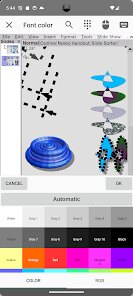
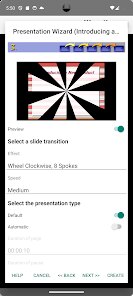
AndrOpen Office is a port of the well-known OpenOffice suite for Android devices. It's essentially a full-fledged office productivity package that brings word processing, spreadsheets, presentations, graphics, databases, and formula editing to your phone or tablet. The developers managed to compress the core functionality of a desktop-class office tool into a mobile-friendly format, which is no small feat.
The app targets users who need to handle document work on the go, particularly those familiar with the desktop version of OpenOffice or LibreOffice. It addresses the practical need of editing, creating, and managing various office documents when you're away from your computer. This could be students reviewing lecture notes between classes, professionals tweaking a presentation on their commute, or anyone caught in a situation where they need to make last-minute changes to a document without carrying a laptop.
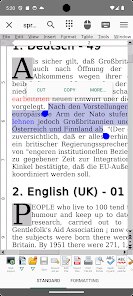
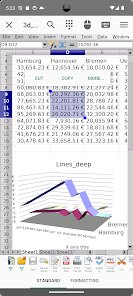
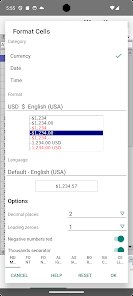
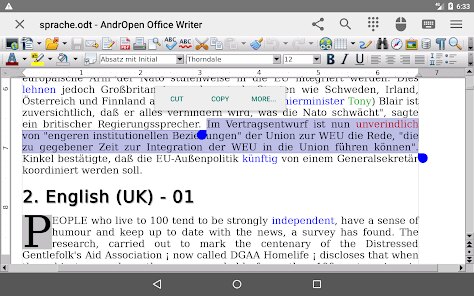
In my experience, the core features work reasonably well for what they aim to do. The word processor handles text formatting, image insertion, and standard layout adjustments without major issues. I found it particularly useful during a trip when I needed to review a colleague's draft report and couldn't access a laptop. The spreadsheet tool managed basic calculations and data sorting. While the interface can feel cramped on a phone screen, using it on a tablet makes a significant difference. I wasn't able to test the database tool as thoroughly, but for simple queries it appeared functional. This app is best suited for users accustomed to the OpenOffice ecosystem, or those needing a free, no-subscription office suite for basic to intermediate document tasks. Advanced users requiring seamless cloud integration or real-time collaboration might need to look elsewhere. For anyone who just needs to read, edit, and create documents without paying a recurring fee, AndrOpen Office is a practical choice.
Key Functional Highlights
- 📄 Full document viewer and editor supporting DOC, DOCX, ODT, XLS, XLSX, PPT, PPTX, and many more legacy formats, ensuring broad compatibility with files from various sources.
- 📄 Local file management tools that allow you to browse, organize, open, and save documents directly on your device without requiring a cloud service or constant internet connection.
- 📄 Integrated keyboard shortcuts for external Bluetooth keyboards, making document editing more efficient when you pair the app with a physical keyboard for extended work sessions.
- 📄 In-app zoom and pan controls that let you navigate large spreadsheets or detailed presentations with precision, responsive enough to handle complex files without significant lag.
Advantages & Benefits
- ➕ Completely free and open-source. No ads, no premium tiers, and no subscription fees. You get the full suite without any financial commitment.
- ➕ Offline functionality. Since everything runs locally on your device, you don't need Wi-Fi or mobile data to access and edit your documents.
- ➕ Wide format compatibility. The ability to open legacy formats such as older .doc and .ppt files makes it useful for accessing archival documents that newer apps often fail to read.
Areas for Improvement
- ➖ Cluttered user interface on smaller screens. Buttons and menu items are packed tightly, making navigation somewhat frustrating on phones with screens smaller than six inches.
- ➖ Lack of cloud sync integration. Unlike competitors that connect to Google Drive, OneDrive, or Dropbox, you must manually export or import files.
- ➖ Limited real-time collaboration features. You won't find comment threads or live co-editing, making it less suitable for team-based workflows.
Recommended Apps
![]()
CapCut - Video Editor
Bytedance Pte. Ltd.4
![]()
Pretty Makeup - Beauty Camera
Photo Editor Perfect Corp.4.4![]()
LeafCheck: Plant Identifier
AMOBEAR TECHNOLOGY GROUP4.1![]()
Zootopia 2 Stickers & Emojis
Disney0![]()
Perfect Me -Face & Body Editor
ryzenrise4.5
![]()
Vbucks GENERATOR V-Bucks
Espace gaming2.2![]()
BitMind: AI Detector & Creator
BitMindAI2.8![]()
TouchTunes: Live Bar JukeBox
Touchtunes Interactive Networks3.2![]()
Find my Phone - Clap, Whistle
FunGear inc4.4![]()
Co–Star Personalized Astrology
Co–Star Astrology Society4.7![]()
Club Cooee - 3D Avatar Chat
cooee GmbH3.6![]()
Photo Editor - Lumii
InShot Video Editor4.7![]()
Kpop Demon Draw and Coloring
Youssoft LTD0![]()
The Choicer Voicer
KARBON COFFEE GAME1.2![]()
Funny Insect Prank Filter
GAdventure0













You May Like
-
![]()
HD Wallpapers (Backgrounds)
Android Station4.4 -
![]()
Santa Prank Call: Fake video
Era Global Publishing4 -
![]()
Customuse: Skins Maker Roblox
Customuse4.7 -
![]()
Pet Translator: Dog & Cat Talk
Revivoskin0 -
![]()
Afterpay - Buy Now Pay Later
Afterpay3.8 -
![]()
PayByPhone
PayByPhone Technologies Inc .4.9 -
![]()
DeepSeek - AI Assistant
DeepSeek4.2 -
![]()
Linky AI: Chat, Play, Connect
Skywork AI Pte. Ltd.4.3 -
![]()
Poe - Fast AI Chat
Quora, Inc.4.7 -
![]()
DIY Battery: 3D Charge & Emoji
Braly JSC0 -
![]()
Santa's Naughty List App
Steven J Q McAnena3.6 -
![]()
Themes - App icons, Wallpapers
Lutech Ltd4.6 -
![]()
Heaven Messenger - chat, map
SKYTRACK0 -
![]()
Cool Fonts Keyboard & Themes
Art Maker Studio4.3 -
![]()
Artplay - AI Photo & Video
Hideaway Technology Limited4.5