Peppa Pig by PlayShifu
PlayShifu
Installs
1M+
Developer
PlayShifu
-
Category
Educational
-
Content Rating
Everyone
Developer Email
Privacy Policy
https://www.playshifu.com/privacy-policy
Screenshots
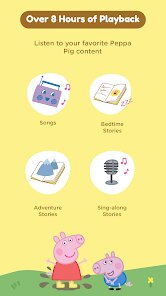
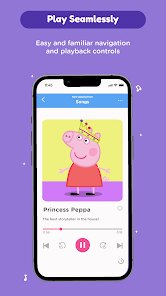
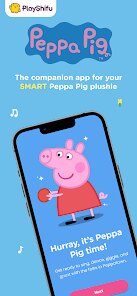
In-Depth Game Analysis
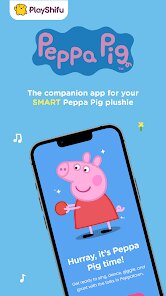
Peppa Pig by PlayShifu is an augmented reality (AR) adventure that blends the beloved preschool cartoon with interactive, hands-on learning. It's not your typical mobile game—instead of tapping through levels, you use a physical Playset (the Peppa Pig Smart Camera or a compatible toy) to scan and bring characters, vehicles, and scenes to life on your tablet or phone screen. The core loop revolves around exploring themed worlds—like Peppa's house, the school, or the muddy puddles—completing simple puzzles, singing songs, and collecting stickers. This is squarely aimed at young children (ages 3 to 7) and parents looking for a screen-time experience that feels more physical and collaborative than passive video watching. What caught my attention initially was the sheer hype in the parenting tech community; reviews praised it for turning a tablet into a magical window rather than a digital babysitter. The idea of pairing a tangible toy with digital play felt fresh, especially for a franchise as massive as Peppa Pig, and I was curious how the tech held up in real-world chaos.
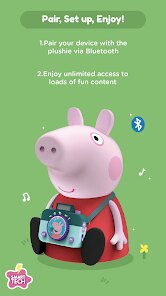
My first session was surprisingly smooth, but not instantly addictive. The setup took about ten minutes—downloading the app, pairing the Playset via Bluetooth, and calibrating the camera so it recognized the physical cards and figures. For a child, that's a bit of a hurdle, but once it clicked, the magic was undeniable. My six-year-old niece and I spent an entire afternoon jumping Peppa and George through digital muddy puddles that appeared on our kitchen table. The controls are mostly tilt-and-tap, which is intuitive for small hands, and the learning curve is nearly zero—within a minute, she was navigating menus and triggering animations. Performance was rock solid on an iPad; no crashes, and the AR tracking held up even when we moved the device quickly. The standout moment was the "Puddle Jump" mini-game, where we had to tilt the tablet to guide Peppa around splashing water, but the real kicker was when the game recognized the physical "George's Dinosaur" figure and turned a boring wall into a friendly dinosaur parade. The audio design is spot-on—all the original voice actors are present, which keeps kids engaged and adults from cringing. Offline mode also saved a long car ride, and the lack of ads or in-app purchases meant no awkward microtransaction requests from a tearful toddler.
As someone who has reviewed dozens of children's games, from Toca Boca to the uninspired licensed cash-grabs, this one stands out because it respects the child's time and the parent's wallet. I kept coming back to it because it doesn't just entertain—it teaches cause and effect, object recognition, and fine motor skills without feeling like homework. Compared to other AR kids' games like "Miko's World" or even "Pokémon GO" for older kids, Playshifu nails the balance between digital and physical. The physical pieces are durable (we've dropped them many times), and the app is updated regularly with new content, so it doesn't grow stale. What really worked for me was that it encourages parent-child interaction; you can't just hand a toddler a phone and walk away—you need to place the cards, guide the camera, and play together. That shared experience is rare in this genre. It might not satisfy older kids who crave fast-paced action, but for its target audience, it's a rare gem that turns screen time into active, imaginative play.
Core Gameplay Features
- AR Object Recognition 🧸 — The app uses your device's camera to recognize physical Playset cards and figures, turning them into 3D animations on your screen. For example, scan the "Daddy Pig" card, and he pops up as a fully voiced character who walks around your room. This isn't just a gimmick; it teaches kids that objects can have digital counterparts, boosting spatial awareness.
- Mini-Games with Touch Controls 🎮 — There are over 20 mini-games that range from memory matching to counting exercises, all controlled by simple taps or tilts. The "Muddy Puddle Splash" game requires timing your taps to make Peppa leap, which improves hand-eye coordination. Each game has adjustable difficulty, so your child can grow with it without frustration.
- Parental Dashboard and Usage Limits 📊 — The app includes a secure parent section accessed via a PIN, where you can set daily playtime limits, view progress reports, and disable certain features like audio instructions. This gives you control over how long and how deep your child's session goes, which is a thoughtful touch for busy parents who worry about screen addiction.
Strengths & Highlights
- Physical-Digital Hybrid Design 🏆 — What I love most is that it gets kids moving. Instead of passively staring at a screen, they're reaching for cards, aligning camera angles, and re-arranging the toy playset. This keeps their bodies engaged, which is a huge win for parents who want active play. My niece actually looked for the "dinosaur card" around the room to see if the AR would trigger—that's problem-solving in action.
- Authentic Voice Acting and Music 🎵 — The game uses the actual British voice cast from the show. It's not a bootleg imitation; hearing Grumpy Rabbit's groan and the theme song's familiar tune instantly pulls you into the world. This authenticity matters for kids—they recognize the voices and feel like they're part of the episode, which deepens emotional connection.
- Zero Ads and No In-App Purchases 🚫 — There are no pop-ups begging for gems, no "buy the season pass" banners. Once you buy the Playset (around $40-$60), everything is free. This is practically unheard of in kids' mobile gaming and makes it a safe, guilt-free choice for parents who are tired of surprise credit card charges from a wandering toddler's thumb.
Limitations to Consider
- Setup Complexity for Younger Kids ⚙️ — The initial Bluetooth pairing and camera calibration still require adult supervision. A three-year-old can't do this alone, and if the tablet is older or the room is too dark, the tracking can lag. I had to fiddle with the Wi-Fi and angle the device on a stand before it worked seamlessly—frustrating when you're just trying to get a tantrum-prone toddler engaged.
- Limited Replay Value for Older Kids 🔁 — Once your child has mastered all the mini-games and collected every sticker, the content can feel repetitive. There's no creative sandbox mode or user-generated levels, so after about 20 hours of play, a seven-year-old might move on. The updates help, but they're spaced out, so if your kid is a speedrunner, they'll hit a wall.
- Playset Cost Adds Up 💸 — The base kit is fairly priced, but if you want the full experience—the car, the school bus, the treehouse—each accessory costs another $20-$30. That can balloon to over $100, which is steep for a preschooler's game. It's a barrier for budget-conscious families, especially when free alternatives like "Peppa Pig's Happy Puddles" exist on app stores, even if they lack the AR depth.
Recommended Apps
![]()
Halloween: Secret of Shadow
HFG Entertainments4.5

![]()
Disco Fighter: Dead Fight Club
Wawe Technology0![]()
Swamp Attack
Outfit7 Limited4.6![]()
Monster Craftsman Survivor 3D
DINO GAME4.7![]()
Smashero.io - Hack n slash RPG
KLASH Games Inc.4.7![]()
Slice Master : Idle Clicker
Oreon Studios4.6![]()
MECCHA CHAMELEON
PlayLand Studio0![]()
Garten of Banban 2
Euphoric Brothers Games4![]()
Bike Race: Racing Game
iKame Games - Zego Studio4.6![]()
Hapunan Horror Game
2002 Studio4.3![]()
MiniGiants.io
Night Steed S.C.4.4![]()
Peppa Pig by PlayShifu
PlayShifu3.2![]()
Squishy Magic: ASMR Toy Maker
Dramaton4.6![]()
Gangster Simulator Crime Game
Orbit Games Pvt Ltd3.3![]()
Squid Game: Unleashed
Netflix, Inc.4.4









You May Like
-
![]()
IQ Test
Aliaksandr Uvarau4 -
![]()
MONOPOLY GO!
Scopely4.6 -
![]()
Race Master 3D: Car Racing
Beresnev Games4.5 -
![]()
Steal a Brainbot
finik0 -
![]()
World of Peppa Pig: Kids Games
Find Your Fun3.4 -
![]()
Minefun İo
3Dmobiles0 -
![]()
Stealth Master: Assassin Ninja
SayGames Ltd4.3 -
![]()
Witch Match Puzzle: Halloween
JULYis4.6 -
![]()
My Talking Angela 2
Outfit7 Limited4.4 -
![]()
Haunt the House: Terrortown
SFB Games4.9 -
![]()
Solo Survivor IO Game
FALCON GAME4.7 -
![]()
Arknights
Yostar Limited.4.5 -
![]()
Chapters: Interactive Stories
Crazy Maple Studio Dev4.4 -
![]()
ZooTone: Animal Voice Fun
JUP Game Studio4.5 -
![]()
eFootball™
KONAMI4.2