
Moises: The Musician's AI App
Moises Systems
Installs
50M+
Developer
Moises Systems
-
Category
Entertainment
-
Content Rating
Everyone
Developer Email
Privacy Policy
https://app.moises.ai/privacy
Screenshots
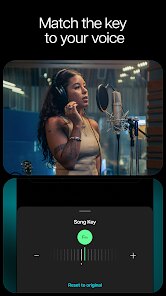
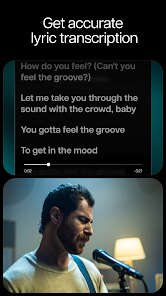
Expert Review
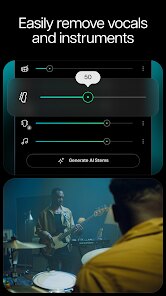
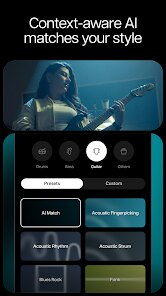
Moises is primarily a stem separation tool, but calling it just that doesn't do it justice. The core function is simple: you upload a song, and the AI isolates the vocals, drums, bass, and other instruments into separate tracks. You can then mute, solo, or adjust the volume of each. The app's main purpose is to give musicians a way to practice with specific parts removed, create backing tracks for performance, or study a song's arrangement. It solves the problem of needing a studio or multitrack files just to learn a song or prepare for a gig.
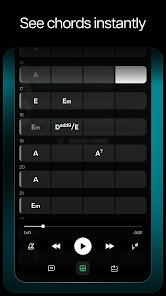
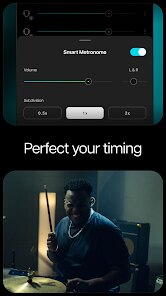
In practice, the separation quality is quite good, especially on well-produced, modern tracks. I found it works best on rock, pop, and electronic music. Things get a bit trickier with older recordings, songs with heavy reverb, or complex, dense mixes. The stem separation is clearly the star, but the app also packs in a lot of extra tools. There's a smart metronome that adjusts to the separated tempo, a pitch changer (which is fantastic for practicing solos), and even a chord detection tool. The chord detection isn't perfect, but it gives you a solid starting point. For me, the biggest value was finally being able to learn bass lines from my favorite funk tracks. I could isolate the bass part, slow it down, and hear every single ghost note and slide without the drums covering it up. It took something that felt impossible and made it approachable.
I'd recommend this app to any musician who plays by ear, especially guitarists, bassists, pianists, and drummers. It's also a great tool for DJs who need to create stems for remixes or transitions. For teachers, it's a solid way to create practice materials for students. However, if you are a mastering engineer looking for studio-grade separation, the current versions of software like Steinberg SpectraLayers Pro or iZotope RX are more powerful, but they are also much more expensive and complex. Moises hits a sweet spot of being very good for most musical purposes while staying simple to use.
Key Functional Highlights
- 🎵 Upload a track from your device, find it on YouTube or Apple Music via a link, or simply record audio directly into the app. This removes the friction of having to source files from a specific place.
- 🎵 Processed tracks are saved in a dedicated library. You can create setlists for gigs or playlists for practice sessions. I have separate lists for 'Learning Bass,' 'Jazz Warmups,' and 'Set A', which makes my workflow way faster.
- 🎵 The app has a 'Practice Mode' where you can loop specific sections of a song, slow down the playback speed without affecting pitch, and even set a count-in before the loop starts. This is basically a personal rehearsal room on your phone.
- 🎵 For those who play in bands or sing, there is a real-time effects processor. It lets you apply reverb, compression, or EQ to your voice or an instrument as you play along with the separated track. It makes practice feel more like a complete performance.
Advantages & Benefits
- 👍 The stem separation quality is genuinely impressive. For a consumer-level app, it often rivals what I used to get from expensive desktop software a few years ago. It handles complex mixes better than expected.
- 👍 The user interface is clean and intuitive. You don't need a manual to figure out how to upload a file, adjust stem volumes, or set a loop. Everything is a single tap or drag away.
- 👍 The cross-platform support is excellent. It works seamlessly on iOS, Android, and the web. I can start a project on my phone and pick it up on my desktop without any issues.
Areas for Improvement
- 👎 The free tier is quite limited. You get a strict number of uploads per month, and the audio quality of stem export is capped at a lower bitrate. To really use it as a serious tool, a subscription is almost mandatory.
- 👎 The chord detection feature is hit or miss. It works for simple pop chord progressions but struggles with jazz, extended chords, or fast chord changes. I find myself correcting it more often than not.
- 👎 The app can be a memory hog. Processing longer tracks or complex files can take a while, and on older devices, it can slow down the entire phone while processing.
Recommended Apps
![]()
GRUBL™ 4D Live Wallpapers + AI
TarrySoft4.6

![]()
Heaven Messenger - chat, map
SKYTRACK0![]()
iCut: Video Editor & Maker
iCut -Video Editor & Video Maker App3.8![]()
Secret Crush Detector App
Hopeitz Software4.8![]()
Football Jersey Maker
AJ DEVS3.4![]()
How Old Are Your Ears Fun Test
team5stars0![]()
Future Self Face Aging Changer
AMOBEAR TECHNOLOGY GROUP4![]()
ALDI Grocery Pickup & Delivery
ALDI International Services SE & Co. oHG4.6![]()
PixVerse: AI Video Generator
PixVerse4.5![]()
Ghost Photo Prank
Nachosware Prank Games4![]()
Voice Changer – Voice Effects
All Excellent Apps0![]()
Football Wallpaper HD 4K
Orange Infotech Studio4.6![]()
Brainzzot Universe: Prank Call
TeH Software0![]()
ChatGPT
OpenAI4.8![]()
TickTock-TikTok Live Wallpaper
TikTok Pte. Ltd.4.5














You May Like
-
![]()
Beauty Camera -Selfie, Sticker
Leopard V74.7 -
![]()
YouTube
Google LLC4.1 -
![]()
Anti Theft Alarm–Find my Phone
Phone Lock & Utilities Apps4.3 -
![]()
AR Draw Sketch - Trace & Paint
MØ Studios0 -
![]()
AI Detector & Humanizer
Wallet Passes Alliance4.4 -
![]()
Google Voice
Google LLC4.3 -
![]()
Face Camera: Live Stickers
Selfie Camera & Photo Editor & Beauty Snap4.3 -
![]()
Monster Detector: Alien, Ghost
Game Palette3.8 -
![]()
FunVid: Funny Face Filters
Vibe Filter Club0 -
![]()
Idol Prank Video Call & Chat
84devs Studio0 -
![]()
Old Me: AI Age & Future Aging
happy.ai.app2.4 -
![]()
Wave Live Wallpapers Maker 3D
Live Wallpapers by Wave Studio4.3 -
![]()
Medic Scanner - skin analyze
Investment Analytics3.7 -
![]()
GoFan: Buy Tickets to Events
GoFan4.8 -
![]()
Neon Love Theme
Delicate theme for Android App4.6